
Two prices can lead to two different kinds of orders. Follow a two-pack of kitchen towels from checkout to the group result, seller dispatch or a refund.

You paid the lower price for a Pinduoduo item. Is the seller getting it ready, or are you still waiting for someone to join? Open the order in the account that placed it. Match the order number and item, then read the group result. An invitation with an active countdown means the group is still open. A confirmation that the group formed, followed by an order waiting for the seller to ship, means you can stop looking for another participant. A card charge alone answers neither question.
What the two prices buy you
Some listings offer an individual purchase and a team purchase. The first lets you order without waiting for a group. The second gives you a group price under the offer’s conditions. Depending on what the listing offers, you may be able to join an open group or start one. Check which option is selected before paying. PDD Holdings explains how team pricing works.
Suppose you want one pack of two navy kitchen towels. On a listing that also sells a single towel, a lower figure can come from the one-towel option. Select navy, the two-pack and quantity one in each purchase option. Compare the amounts on the two checkout screens with the same delivery address and check whether a coupon applies to only one. A two-pack describes what the seller should put in your parcel. It tells you nothing about how many buyers the offer requires.
Shopping from the US adds another source of confusion. If a purchasing service quotes you in dollars and the listing shows yuan, get the item price and any service charge separately before comparing. If you place the order yourself but use a forwarding warehouse in China, the order remains in your own Pinduoduo account. If you are still deciding who will buy and who will forward it, see the US guide to ordering on Pinduoduo and using a Chinese warehouse.
After payment, go back to your order history
Open the towel order from your purchases, even if a group invitation is already open on your phone. Match the shop, selected pack, amount and order number. A fresh visit to the product listing may show another open group for the very same towels. If the app offers group details inside your order, open those details to see the result for your purchase. The wording may vary. Look for the action the order is waiting on.
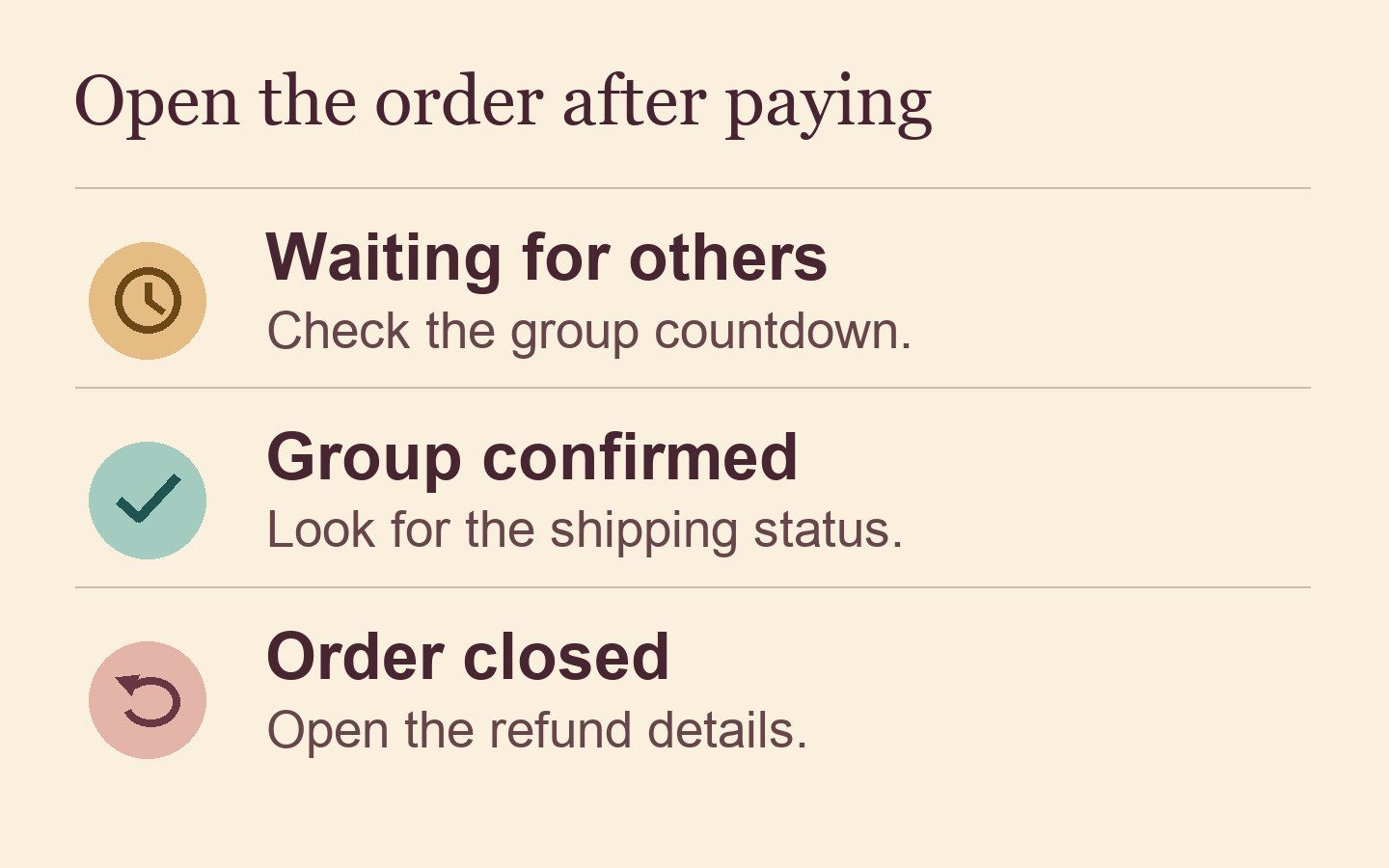
- The group still needs buyers. An unfilled spot or a countdown on your own group details means it is still open. If you want to invite someone, share the invitation attached to this order. The recipient opening your link does not establish that they completed a qualifying purchase. Reopen the details to check. If you are checking from the US, use the remaining time shown there rather than assuming a deadline is in your time zone.
- The group has formed and the seller has yet to ship. Save the order number and check the dispatch information on that order. There is no reason to start another group for the towels. If the seller misses the dispatch date shown, ask the seller about this order. A forwarding warehouse can check a parcel once it has something to match, such as a domestic tracking number. Pinduoduo’s Help Center also treats a formed group awaiting shipment as a distinct order state.
- The order shows shipment. Open its logistics details and copy the carrier and domestic tracking number. If the delivery address was your China warehouse, this number covers the journey to that address. A label or tracking number can appear before the carrier records its first pickup scan.
- The group ended or the order closed. Open the order’s payment or refund details. Record the amount, destination, reference and status, where shown. A refund marked as processing still needs to be matched with a credit in the payment account. If the platform shows completion and the credit is missing, give the payment provider the refund reference and amount. If the order has closed without an explanation of what happened to the payment, contact platform support from that order before buying again.
Paid, but can’t find the group anywhere?
First find out what was paid. A bank entry may be a pending authorization, and a receipt from an agent may be for the money you sent to the agent. In either case, compare the date, amount and payment recipient with the actual purchase. In the app, check which account you are using and look at all orders, including closed ones. If two towel orders appear, compare their order numbers before asking for a cancellation. Two similar product photos are easy to mistake for a duplicate charge.
When an agent placed the order, ask for an order-detail screenshot showing the shop, the navy two-pack, quantity, order number and current group result. The agent can cover names, addresses and unrelated purchases. A useful request is: “Could you check the group result for my two-pack? If it has formed, please send the seller’s dispatch status. If it closed, please show the refund amount and how it will be credited back to me.” If you bought the order yourself, direct those questions to the seller or platform using your own order number.
For a closed group, reconcile the refund before authorizing a replacement order. When an agent paid the shop, the shop-side refund and the credit from the agent to you are separate entries. Ask whether yours will go back to your payment method or to your purchasing balance, and check the record on that side. If the group formed and the item has already reached the warehouse, a wrong pack or an unwanted item calls for a different process. The US buyer’s guide to Pinduoduo returns before export explains what evidence to collect while the goods are still in China.
📲 Download the YDA Express App
Use the YDA Express App to place China purchasing orders, view product check photos, manage packages, and arrange consolidation and international forwarding.