
Use the real ZATCA public form to choose Express Shipment or Customs Declarations, identify the correct reference and turn a customs-stage result into a clear next action.
If your China parcel has reached Saudi Arabia but tracking has stopped, use ZATCA’s Shipment Tracking service to check the customs stage. Start with the carrier’s international bill or tracking number in Express Shipment. A Taobao order number, China domestic courier number or warehouse customer ID is not a substitute.
The public website form and official guidance were checked on 1 November 2026. The screenshots below show empty official forms, not a customer query or a clearance result. The cover and title image are AI illustrations.
Two tabs, two different sets of information
Open the official ZATCA Shipment Tracking form. The English page offers Express Shipment and Customs Declarations. An English-language service directory may initially lead to the Arabic form; its English language link opens the English version.
Choose the tab from the information you actually have:
| What you have | Where to start |
|---|---|
| International bill or tracking number supplied by the express carrier | Express Shipment |
| Customs declaration details and the confirmed Saudi entry port | Customs Declarations |
| Only a Taobao order, Pinduoduo order or China warehouse reference | Ask the forwarder for the international carrier and the number usable for Saudi customs tracking first. |
The service deals with customs progress. It does not replace the carrier’s tracking for the whole journey or tell you when a delivery driver will reach the door. ZATCA’s announcement for individual importers also identifies its app as an access route; the walkthrough here uses the public website.
With an express carrier number, use Bill Number
On the Express Shipment tab, the required field is Bill Number. The page’s help text tells you to use the number supplied by the shipping company. Here “bill” refers to the transport document number, not the amount on a shopping invoice.
- Confirm the carrier and the international number with the company that arranged the shipment. Keep the exact letters and digits.
- Paste that number into Bill Number and use Search when the form permits submission. Complete any verification yourself if the official service requests it.
- Read the returned details and any action requested. Keep the displayed reference and the time of your check so you can discuss the same record with the carrier.
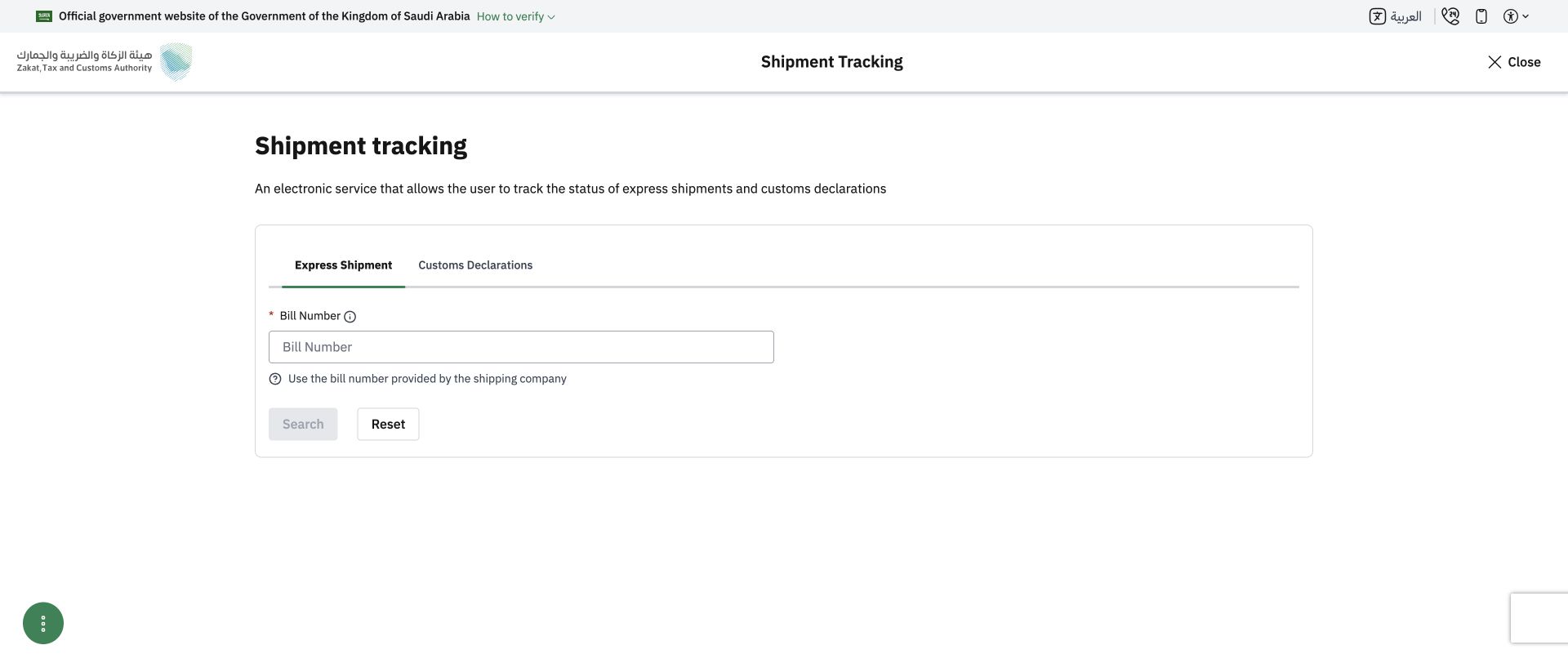
Official English Express Shipment form, captured on 1 November 2026 with no shipment number entered. The empty form confirms the input field; it does not demonstrate a completed lookup.
If Taobao says the seller’s parcel was delivered to the China warehouse, that is an earlier domestic movement. Ask for the outbound international bill number. If the carrier gives you more than one reference, ask which one it submits for this customs service rather than trying unrelated shopping numbers.
With declaration details, confirm the entry port first
The Customs Declarations tab begins with Port Name and Tracking method. The port list groups sea, rail, land and air entry points. Your home city does not establish which port was used.
Ask the carrier or declaring broker to confirm the actual entry port, declaration reference and other information required for its tracking method. Select the confirmed port and follow the fields that appear. Do not choose a familiar airport merely because the parcel will eventually be delivered in that city.
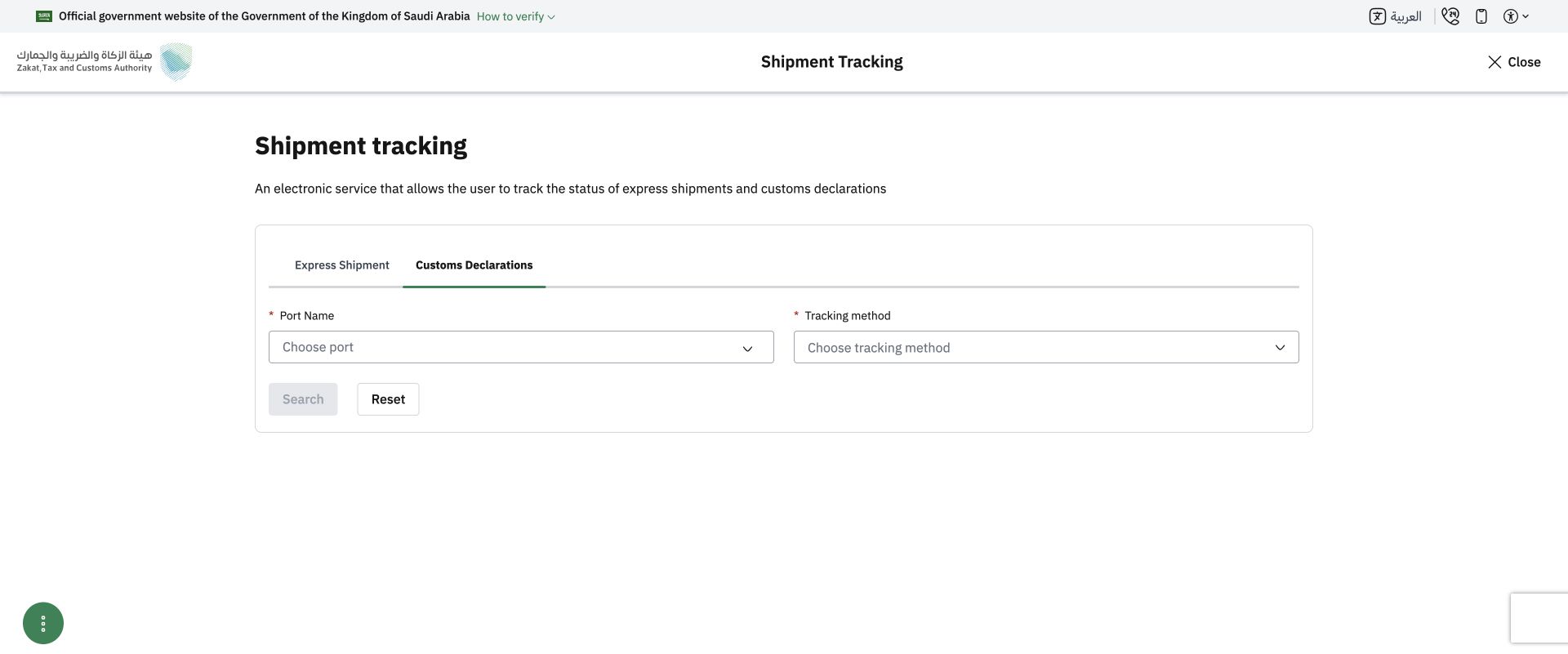
Official Customs Declarations starting form, captured without customer data. Its dependent fields can change with the selected port and method.
The ZATCA user guide explains both branches. Use the current form for the exact fields; do not copy a sea-freight example into an express-parcel enquiry.
Match the result to one next action
The situations below are a reading aid, not a list of exact ZATCA status labels or guaranteed outcomes.
No matching record appears. First recheck the selected tab and the reference you used. Then ask the carrier whether the shipment has entered the relevant customs process and which reference it supplied. An empty search alone does not prove that customs seized the parcel or that it is lost.
The result requests information or an action. Save the actual wording and ask the carrier or broker who must respond, what is missing and where it must be submitted. Send the requested evidence through the official case channel. Do not repeatedly create unrelated enquiries or upload a larger set of personal documents than requested.
Customs appears complete, but the carrier has not delivered. Take the reference and the carrier’s latest scan to the carrier. Ask about the next physical handover and local delivery number. The YDA parcel tracking page may help with a supported YDA shipment, but a customs record is not proof of door delivery.
An amount is displayed. Keep its reference and ask for the corresponding declaration and charge explanation if you need to understand it. ZATCA’s e-store customer guidance distinguishes customs paperwork and VAT receipts. Do not turn a status check into approval of an unfamiliar payment link; open the verified official or carrier channel separately.
Payment alone will not replace a missing product approval. If the enquiry identifies a product restriction, obtain the specific authority requirement. For future purchases, the Saudi personal-import decision guide covers that earlier decision without repeating it here.
Record the enquiry so the next person can act
Keep one short note: carrier; international bill number; chosen ZATCA tab; confirmed entry port if applicable; query date and time; the exact result; requested action; and the existing case reference. Leave unknown items marked unknown instead of guessing.
For a shipment handled by YDA Express, provide the YDA parcel reference and that note. The team may help match the warehouse and carrier records it holds or request the appropriate transport reference. It cannot alter ZATCA’s decision, create an import approval or promise a release date.
If the number or customs result remains unclear, use the official support route in the ZATCA service announcement, including 19993. Check the current website instructions again when you use the service.
📲 Download the YDA Express App
Use the YDA Express App to place China purchasing orders, view product check photos, manage packages, and arrange consolidation and international forwarding.